How to Make a Minecraft Server (Java and Bedrock)
Last updated: October 2026 | Covers Minecraft 26.3 (Java) and 26.52 (Bedrock)
To make a Minecraft server, download the official server software free from minecraft.net, install Java 25, run the server once to generate eula.txt, set eula=true, then restart it. Players on your own network can join using your local IP address straight away. Letting people outside your network join needs port forwarding – 25565 for Java Edition, 19132 for Bedrock.
This guide walks through the whole process for both editions, including the settings worth changing in server.properties and the Realms option if you would rather not host anything yourself. For the rest of our Minecraft guides, see the enchantments guide and the other walkthroughs on the site.
Before you start
Three things decide whether this goes smoothly:
- Java 25. Minecraft 26.x server software requires Java 25. An older Java install is the single most common reason a server refuses to start.
- RAM. Plan on at least 2 GB free for a small group. More players and a bigger world need more.
- A machine that stays on. The server is only reachable while the computer running it is awake and connected.
If any of those is a problem, skip to the Realms section – it removes all three.
Minecraft server download
The official server software is free and comes from Mojang. Download it only from minecraft.net. Third-party “server download” sites offer modified files with no benefit and real risk.
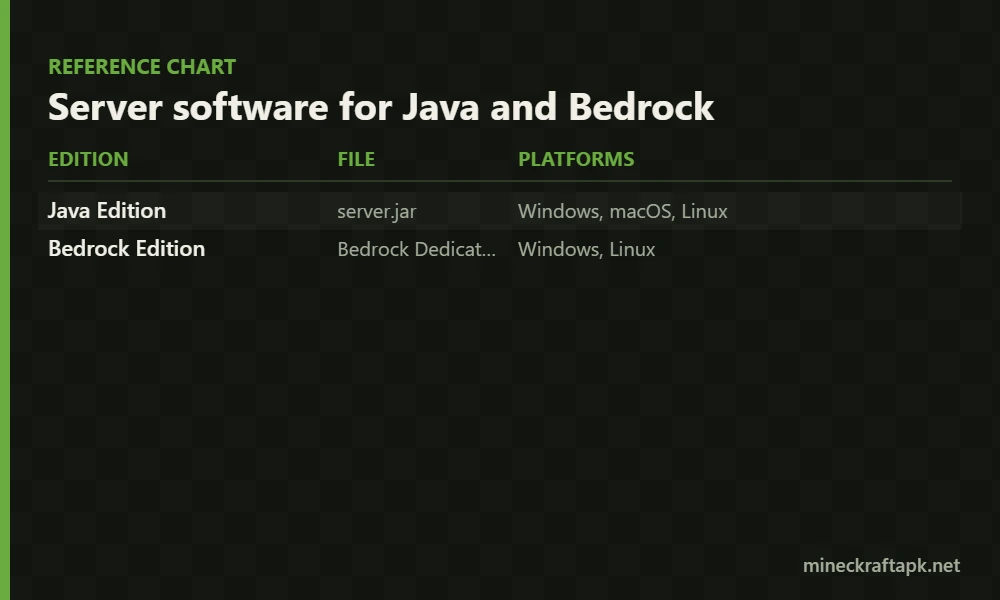
| Edition | File | Platforms |
|---|---|---|
| Java Edition | server.jar | Windows, macOS, Linux |
| Bedrock Edition | Bedrock Dedicated Server (BDS) | Windows, Linux |
Put the file in its own empty folder before running it. The server creates a dozen files and folders on first launch, and you do not want those scattered across your desktop.
How to make a Minecraft server: Java Edition
Step 1: Install Java 25
Minecraft 26.x servers need Java 25. Install it, then confirm it worked by opening a terminal or command prompt and running:
java -version
If the version shown is older than 25, the server will not start. Install the correct version before going further.
Step 2: Create a folder and add server.jar
Make a new folder – something like minecraft-server – and put server.jar inside it on its own.
Step 3: Run the server once
Open a terminal in that folder and run:
java -Xmx2G -Xms2G -jar server.jar nogui
-Xmx2G sets the maximum RAM and -Xms2G the starting amount. Raise both for larger groups. nogui skips the graphical window, which saves resources.
This first run will stop almost immediately with a message about the EULA. That is expected.
Step 4: Accept the EULA
The failed run created a file called eula.txt. Open it, change eula=false to eula=true, and save.
This is you agreeing to Mojang’s end user licence agreement. The server will not run until you do it.
Step 5: Start the server properly
Run the same command again. This time the server generates the world and starts up. When the console shows that it is done, it is live.
Step 6: Join it
In Minecraft, go to Multiplayer, click Add Server, and enter:
- Same computer:
localhost - Same home network: the host computer’s local IP address
- Outside your network: your public IP address, with port forwarding set up first
How to make a Bedrock Edition server
If you play on Android, iOS, console or Windows, you are on Bedrock, and the process differs in a few ways.
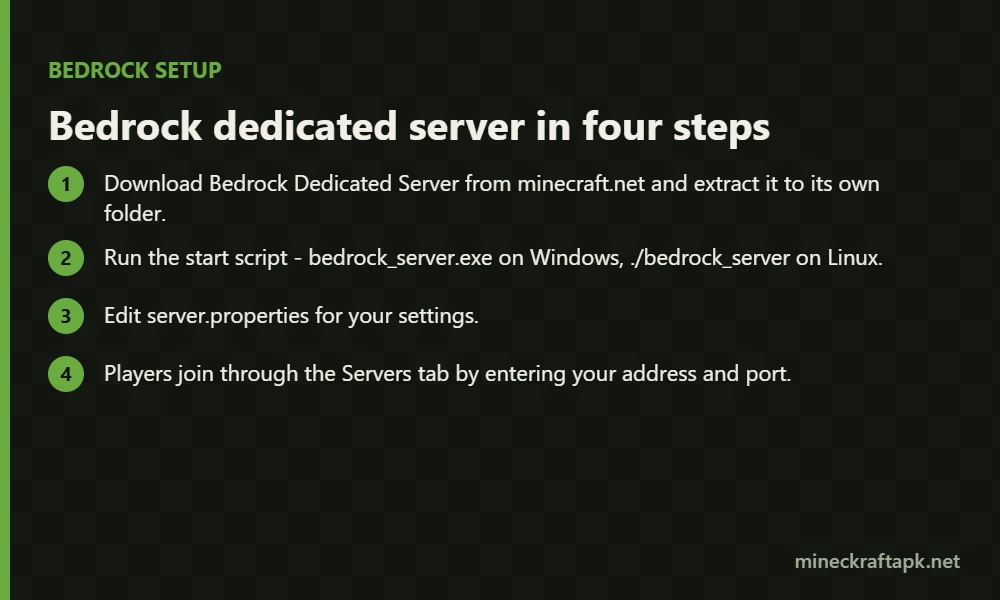
- Download Bedrock Dedicated Server from minecraft.net and extract it to its own folder.
- Run the start script –
bedrock_server.exeon Windows,./bedrock_serveron Linux. - Edit
server.propertiesfor your settings. - Players join through the Servers tab by entering your address and port.
Two Bedrock-specific details: it uses UDP port 19132 rather than Java’s TCP 25565, and player access is controlled through allowlist.json instead of a whitelist file.
Bedrock Dedicated Server officially supports Windows and Linux only – there is no macOS build.
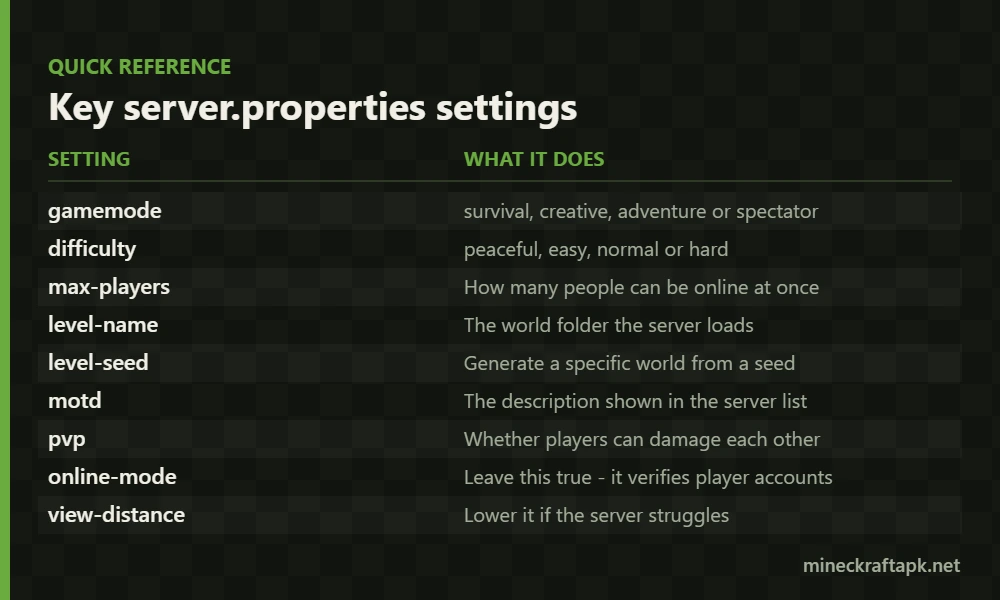
server.properties: the settings worth changing
This file controls how your server behaves. Stop the server before editing it, then restart.
| Setting | What it does |
|---|---|
gamemode | survival, creative, adventure or spectator |
difficulty | peaceful, easy, normal or hard |
max-players | How many people can be online at once |
level-name | The world folder the server loads |
level-seed | Generate a specific world from a seed |
motd | The description shown in the server list |
pvp | Whether players can damage each other |
online-mode | Leave this true – it verifies player accounts |
view-distance | Lower it if the server struggles |
server-port | 25565 for Java, 19132 for Bedrock |
Leave online-mode set to true. Turning it off disables account verification, which lets anyone connect using any username.
Letting friends outside your network join
By default your server is only reachable from your own network. To open it up you forward the port on your router:
- Find your computer’s local IP address.
- Open your router’s admin page.
- Add a port forwarding rule to that local IP – TCP 25565 for Java, UDP 19132 for Bedrock.
- Give friends your public IP address.
Two practical warnings. Port forwarding exposes a service on your home connection, so only do it if you understand that, and keep online-mode=true. Also, most home connections have a public IP that changes periodically, so the address you give out today may stop working.
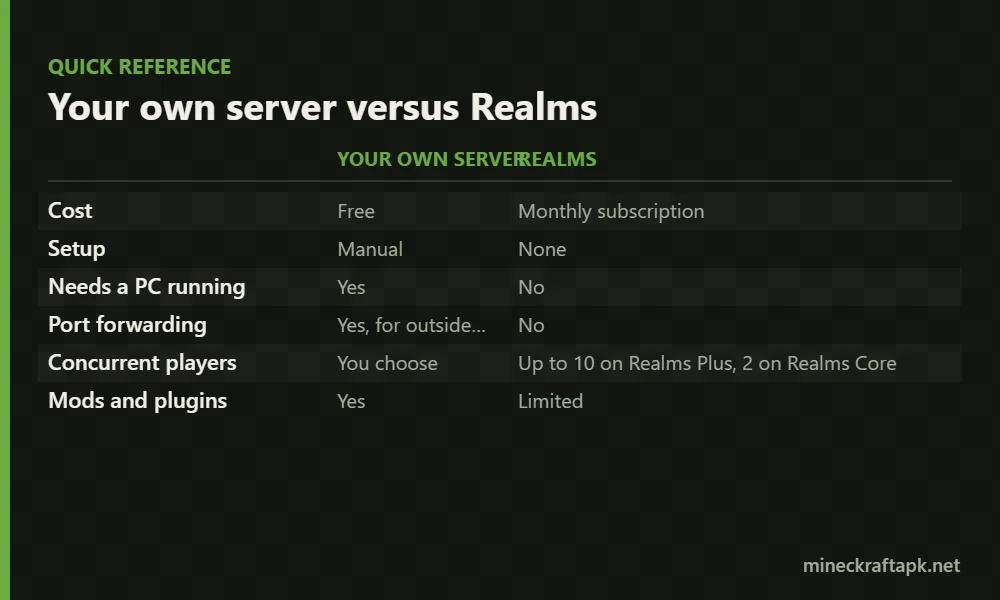
Minecraft Realms: the no-setup option
Realms is Mojang’s own paid hosting service. There is no download, no Java install, no port forwarding, and no need to leave a computer running.
| Your own server | Realms | |
|---|---|---|
| Cost | Free | Monthly subscription |
| Setup | Manual | None |
| Needs a PC running | Yes | No |
| Port forwarding | Yes, for outside players | No |
| Concurrent players | You choose | Up to 10 on Realms Plus, 2 on Realms Core |
| Mods and plugins | Yes | Limited |
Realms limits concurrent players rather than invitations – you can invite more people than can be online at once. If you want mods, plugins or full control, host it yourself. If you want a world your friends can join without any of the setup above, Realms is the simpler answer.
Common problems
The server closes immediately
Almost always one of two things: Java is older than version 25, or eula.txt still says eula=false. Check both before anything else.
Friends cannot connect
If they are on your network, confirm they are using your local IP and not localhost. If they are outside it, port forwarding is either missing or pointing at the wrong local IP.
The server lags
Lower view-distance, reduce max-players, or raise the RAM in your start command. A server running on 1 GB will struggle with more than a couple of players.
Java and Bedrock players cannot play together
A Java server accepts Java clients and a Bedrock server accepts Bedrock clients. Vanilla server software does not bridge the two editions.
Frequently asked questions
How do you make a Minecraft server?
Download the official server software from minecraft.net, install Java 25, place the file in its own folder, run it once to generate eula.txt, set eula=true, then run it again. Players on your network can join using your local IP address.
Is the Minecraft server download free?
Yes. Mojang provides the server software free for both Java and Bedrock Edition at minecraft.net. You still need to own Minecraft to play on it, and Realms is the only paid official hosting option.
What Java version do you need for a Minecraft server?
Minecraft 26.x servers require Java 25. Running an older version is the most common reason a server fails to start.
What port does a Minecraft server use?
Java Edition uses TCP port 25565 and Bedrock Edition uses UDP port 19132. Both can be changed with the server-port setting in server.properties.
How much RAM does a Minecraft server need?
At least 2 GB for a small group. Larger worlds, more players and plugins all increase the requirement, and you set it with the -Xmx and -Xms values in the start command.
Can Java and Bedrock players join the same server?
Not with the official server software. A Java server only accepts Java clients and a Bedrock server only accepts Bedrock clients.
Sources
Server ports, configuration files and Realms details verified against the Minecraft Wiki server page. Download the server software only from the official Minecraft website.